
Migrating from VMware with fewer than 10 hosts: what it actually looks like
Most VMware migration content is written for enterprises with project teams. This one is for the rest of you: 3 to 10 hosts, a few dozen VMs, and an IT team of one or two who will do the work themselves, mostly in the evenings. Here is what the project really involves.

Why small estates are moving first
The post-Broadcom changes hit small structures hardest. Per-core pricing with a 16-core minimum billed per CPU works directly against the modest processors small shops actually run. The bundles are sized for large estates, so you pay for vSAN, NSX and Aria you never deployed. And when the VVF bundle was pulled from sale in several European countries in late 2025, smaller customers felt it first. With vSphere 8 support ending in October 2027, staying put has a deadline attached, and unlike a large enterprise, you have no procurement department to negotiate with.


Start with the two-day audit
Day one is inventory: every VM with its owner (the forgotten VM nobody claims is the classic small-shop surprise), disks over 2 TB flagged, snapshot chains noted, and every tool that touches the hypervisor listed: backup agent, monitoring probe, UPS shutdown script. Day two is constraints: backup obligations written down, the network sketched, the two or three genuinely zero-downtime VMs identified, and your renewal date pinned to the wall so the calendar can be built backwards from it.
Warm migration: the downtime is minutes
Xen Orchestra's built-in V2V wizard connects to your ESXi over the network (an HTTP connection to the API is all it needs) and works in two phases. First, the initial sync: a snapshot of the running VM is replicated to XCP-ng while the VM keeps serving users. This can run for hours in the background and nobody notices. Then the cutover: the VM is shut down, only the blocks changed since the sync are transferred, and it boots on XCP-ng. The visible downtime is the delta plus one boot.
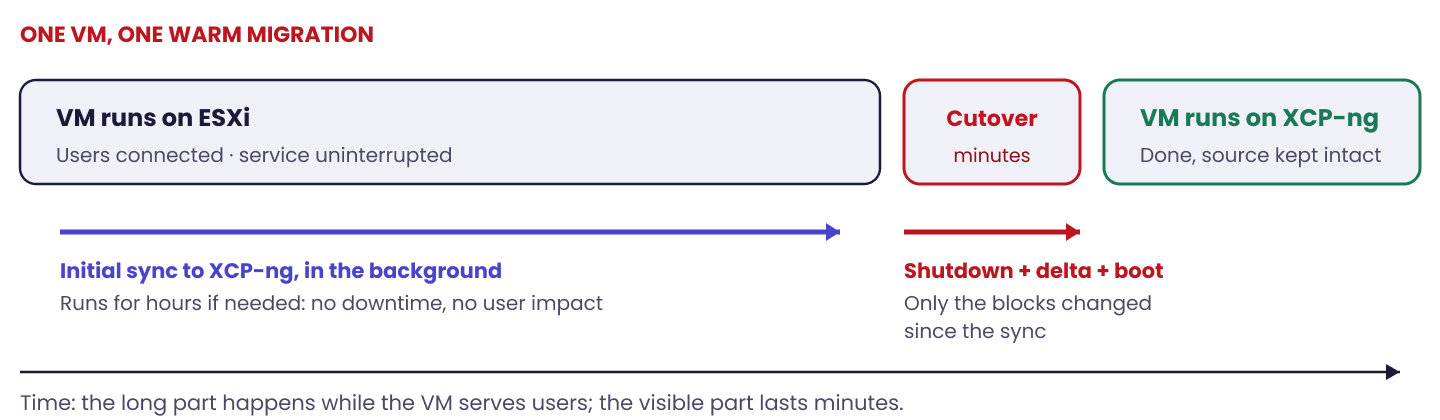

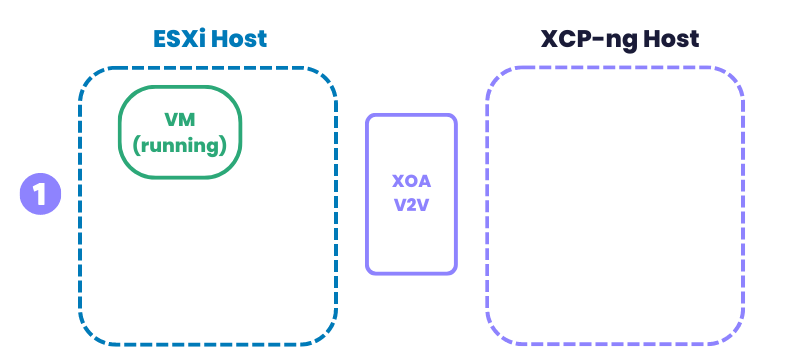
The per-VM routine fits on a sticky note: consolidate snapshots, remove VMware Tools, sync during the day, cut over at end of day, install the guest tools, check with the application's owner. The wizard batches several VMs at once, so you migrate by service: accounting one evening, file servers the next.
The whole thing takes about three weeks
For a typical estate of 3 to 6 hosts and 30 to 80 VMs, count two days of audit, then a lab phase on any spare 64-bit machine, where XCP-ng installs from USB in about fifteen minutes and you take as long as you need to get comfortable. After that come two or three evenings for a pilot batch and one or two evenings per batch after it, with cutovers at end of day and syncs running while you get on with your normal job.
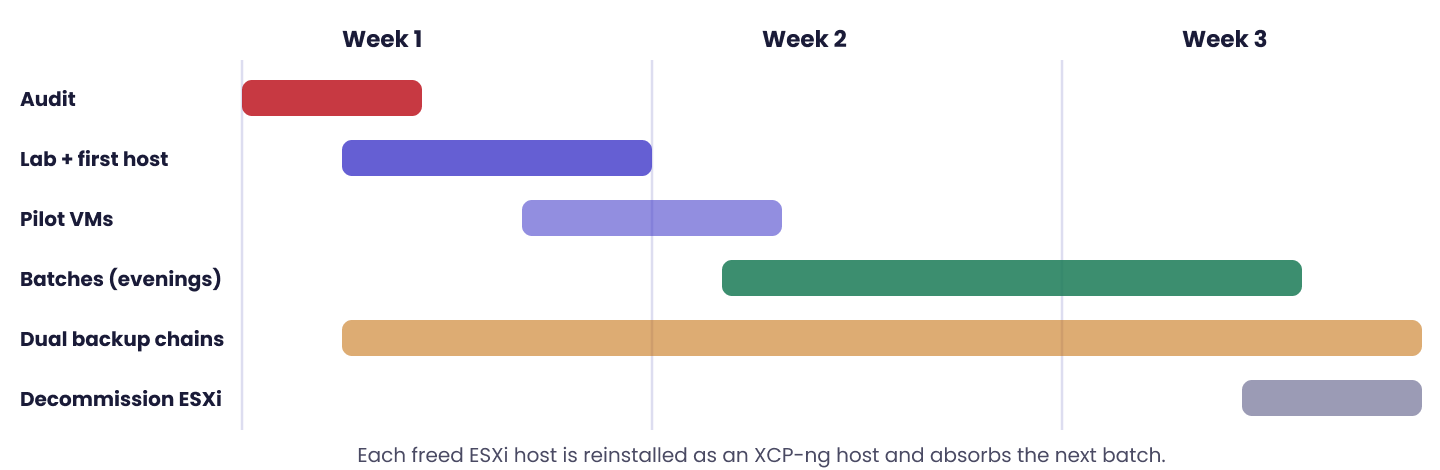
The hardware trick that makes it work with zero extra machines: the lab host becomes production host number one. It absorbs the first batch, which empties an ESXi host, which you reinstall as XCP-ng host number two, and so on until the last ESXi host is wiped. Meanwhile both backup chains run in parallel, and the old backup product retires only when its retention window has fully aged out.
License cost during the entire project: zero. XCP-ng and Xen Orchestra are open source; the support subscription starts when production does, priced per host with entry tiers sized precisely for 3-host estates.
Here is what that difference looks like on a real configuration: five hosts, two CPUs each, sixteen cores per CPU. VMware bills per physical core, so that is 160 billable cores. Vates bills per host, so that is 5. Over a three-year term at list prices, VVF comes to €66,240 ($72,000) against €13,500 ($13,500) for Vates VMS Pro: a difference of €52,740, or roughly €17,580 a year, on five servers.
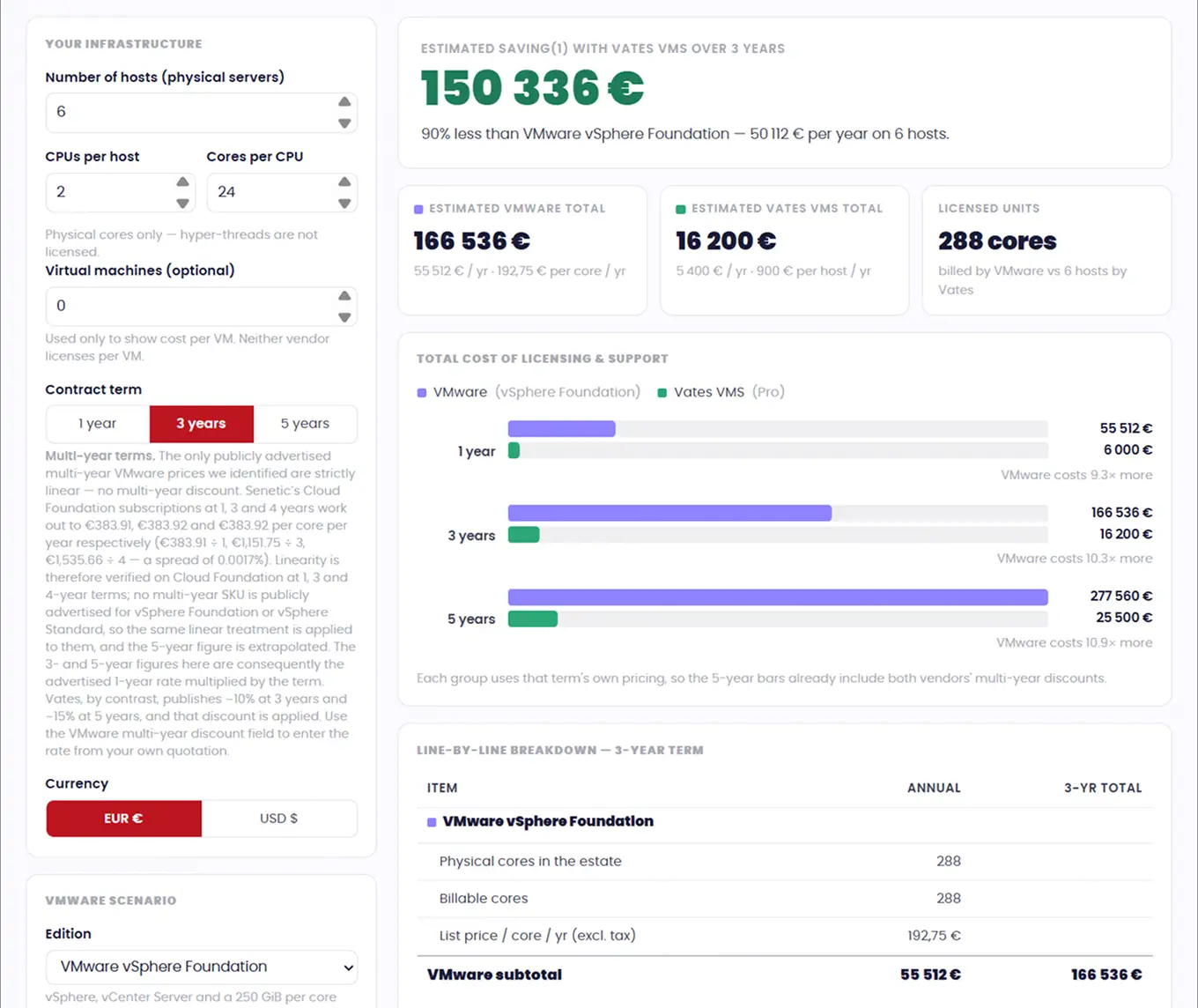
Vates savings calculator
Run your own numbers: host count, CPUs per host, cores per CPU, VMware edition and your actual discount
What can go wrong
Beyond that, here's an honest list, because a guide that promises nothing goes wrong is an advert.
- A VM that won't boot after migration is almost always a driver or boot-mode question on older Windows. You fix it calmly, because the rollback is sitting right there.
- A slow initial sync is a network reality, absorbed by design since the VM keeps running during it.
- A long snapshot chain will sabotage a transfer, which is why the audit flags them.
- Black-box appliances sometimes resist. The pragmatic answer is often to leave them on one remaining ESXi host until their natural end of life.
- When you get stuck with nobody to rubber-duck with, that's the argument for a support plan from day one: the people answering the ticket are the engineers who build the platform.
Go deeper
The full field guide expands everything here: the complete audit list, the lab phase step by step, the storage decision (keep the NAS, or XOSTOR from 3 hosts to retire an aging SAN), backup from day one, six failure scenarios with their fixes, a realistic effort table, and a printable migration checklist that starts and ends with a restore test.